One dilemma you'll face is software can be installed by Brew or downloaded. It seems there is quite the difference at times so choose your poison wisely. Generally brew seems to be close to apt and yum so I tend to go with it rather.
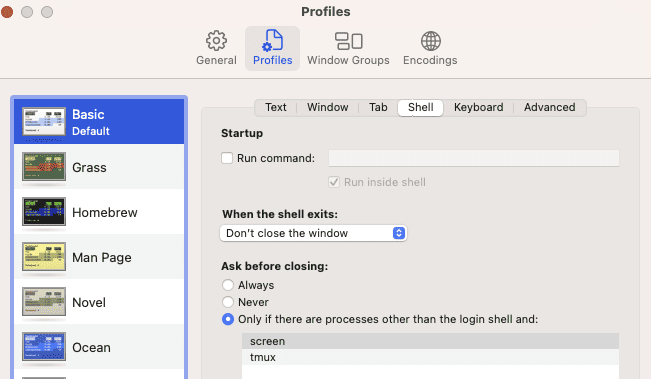
In Terminal Preferences, in Profiles pane select the Profile you use (should say "default" under it's name), select sub-pane Shell and change «When the shell exits:» to «Close if the shell exited cleanly». It will not hide the [Process completed] message, but will close the window if exit code was successful.
Add
.composer/vendor/bin to path
Essentials
Anydesk
ZSH
Oh My
sh -c "$(curl -fsSL https://raw.githubusercontent.com/robbyrussell/oh-my-zsh/master/tools/install.sh)"
Slack
Chrome
PhpStorm
Keyboard Mappings
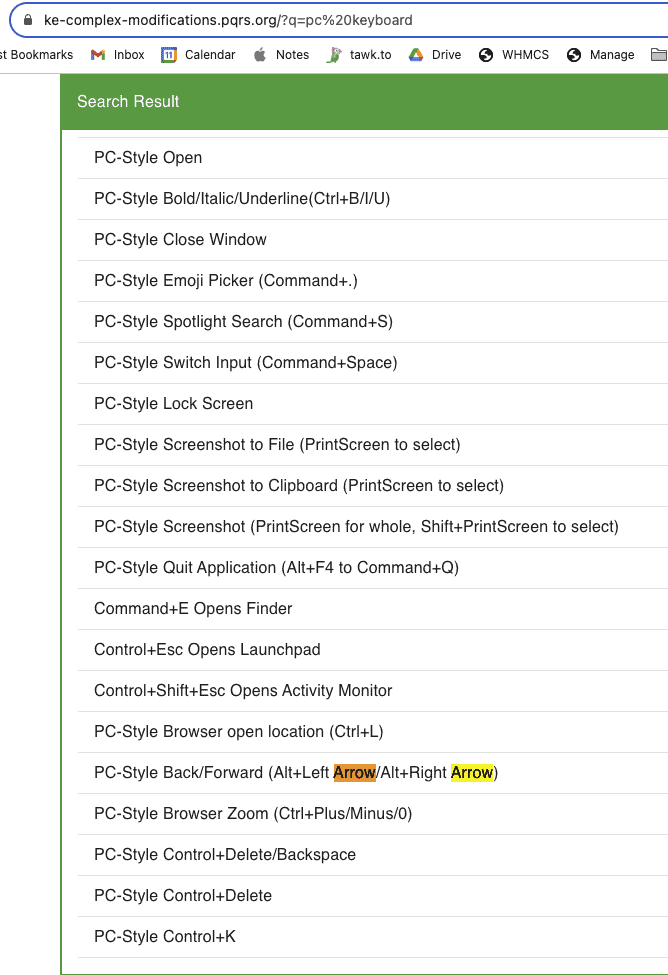
If you're coming from a PC to a Mac the thing that will frustrate you most is the keyboard shortcuts. Although a Mac has some remapping tools, it's a frustration to use and you might have to revert to third-party tools such as Karabiner-Elements. At some stage you might end give up and decide to study the Mac keyboards shortcut documentation.
On a Mac the "Command" key is super important. It's clearly marked on a Mac keyboard and it's larger than any such key on a PC keyboard. The ideal candidate for remapping this "Command" key on on a PC keyboard is the Windows key, however, bear in mind the Windows key is small and using it often can be frustrating and lead to mistakes. However, since the Command key is super important this is probably the first key you want to remap.
On a sunny morning in September 2023 I accidently uninstalled Karabiner-Elements and I lost all my key combinations that I had been using for months. This nearly made me cry.
Most important keyboard mappings to change
Control C and Control V
Home and End
Control right arrow and control left arrow
Control Z
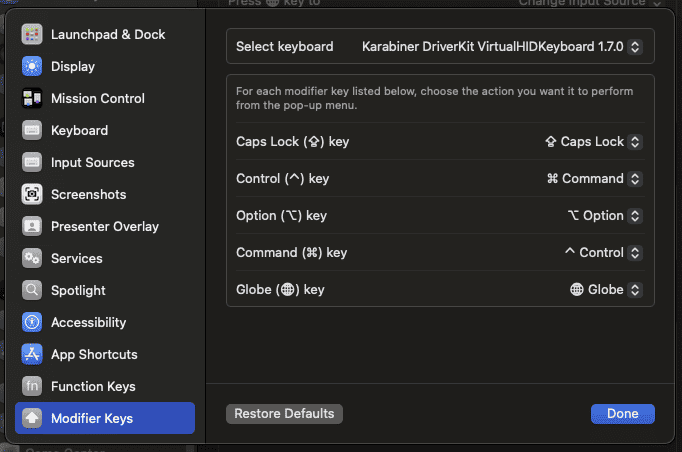
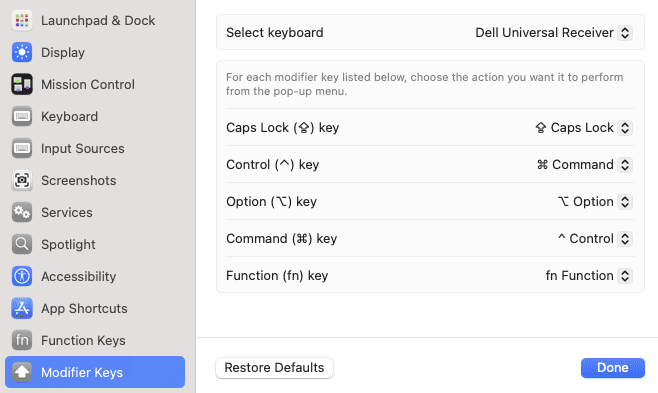
Swapping Windows Key and Control
Control C on a Windows keyboard is conveniently located for the averaged size human hand to quickly copy something. If you decide to use the Windows key for command on a Windows keyboard, you'll get frustrated by the short distance to "c". So I like to swap Control and the Windows key:
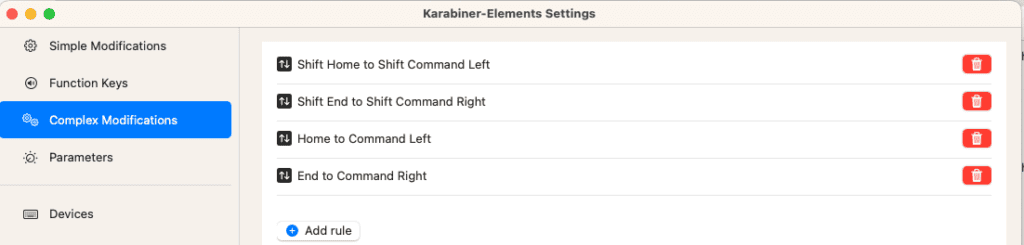
This is hard. On a PC keyboard pressing the End key jumps to the end of the line. I've yet to get this right on a Mac. To see how complicated this is, check this outdated post:
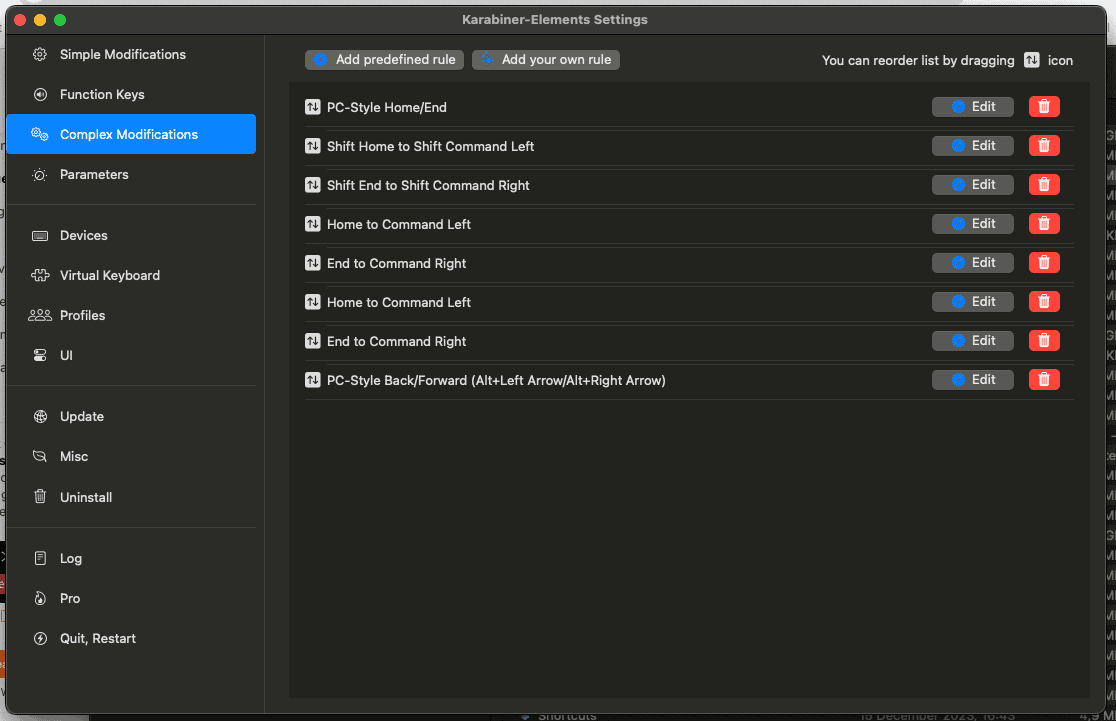
Here is one futile attempt to get this working in Karabiner-Elements:
Update: I eventually got this working in Karabiner Elements but it stopped working after a while. Then when I went back to start the actual software (which I never do), it moaned about permissions. After "allow" permissions again in Notification area the shortcuts starting working.